Rebar View Visibility States
 Revit Structure
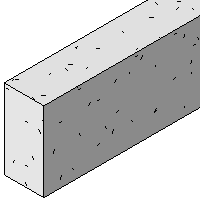
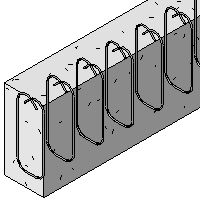
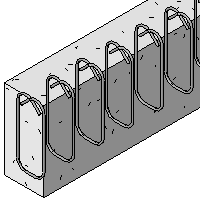
By default, rebar elements in a 3D solid model are contained within host elements, and in hidden line view they are obscured by the host. You can set overrides for each view in a project, so the rebar design can be documented. Each rebar element has a view visibility setting, which is an instance property.
- Select all rebar instances and rebar sets to be made visible. To select multiple instances, hold down the CTRL key while selecting.
- On the Properties palette, click the View Visibility States Edit button.
- In the Rebar Element View Visibility States dialog, select the views in which you want the rebar to be viewed unobscured.
- Optionally, select the 3D views in which you want the rebar to be viewed as solid.
View Visibility settings for new rebar defaults are as follows:
- On in the current view.
- On in all section views in the project.
- Off in all other views in the project.
In all cases, rebar must be located between the top view range and the view depth in order for it to be visible. Portions of the bar that are outside of the view range are not visible.
To access the Rebar Element View Visibility States dialog, select a rebar instance, and on the Properties palette, click the View Visibility States Edit button. Select one or both of the visibility states for each view in the project.
This view parameter displays the selected rebar, regardless of its visual style. The rebar cannot be obscured by other elements and is visible in front of all obscuring elements. Rebar elements that are cut by the cut plane are always visible. This setting has no effect on the visibility of these rebar instances.
Disable this parameter to hide the rebar in all Visual style views other than Wireframe.